
If you don’t have any trades, review the following:
1. Check your Experts and Journal tabs in MetaTrader for any errors

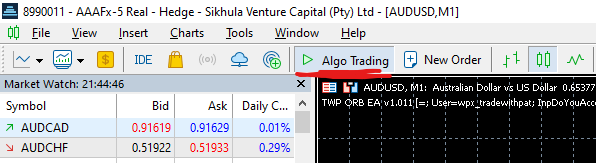
2. Ensure Algo Trading / Auto Trading is enabled
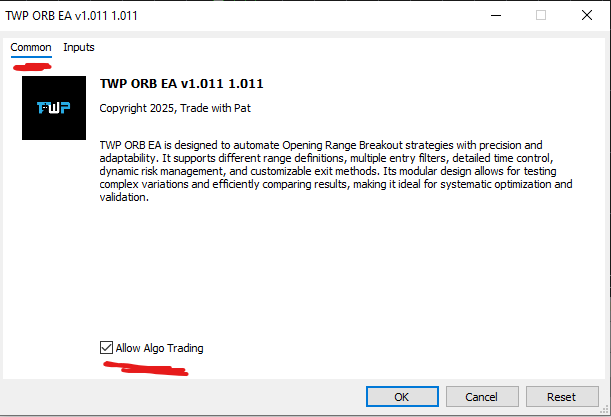
3. Ensure Live Trading is enabled in the EA settings
Right click on your chart → Experts → Advisors → Properties → Common tab
4. Run a basic test
Confirm the EA is properly installed by running a simple strategy test and ensuring inputs are correctly configured.
5. Check magic number settings
If running multiple charts, ensure each instance uses a different magic number.
6. Be aware of trading frequency
Some configurations may not generate trades every day, depending on market conditions and settings.



Leave A Comment